
Analytics
Read the usage figures for profile pages, vCards, banners and Wallet cards, and understand cookie-free measurement.
The Statistics page shows how your profile pages, your vCards, your banners and your Wallet cards are used. This page explains each indicator and how the measurement is done. It can be reached from Marketing › Statistics; Editors and Administrators see the whole company there.
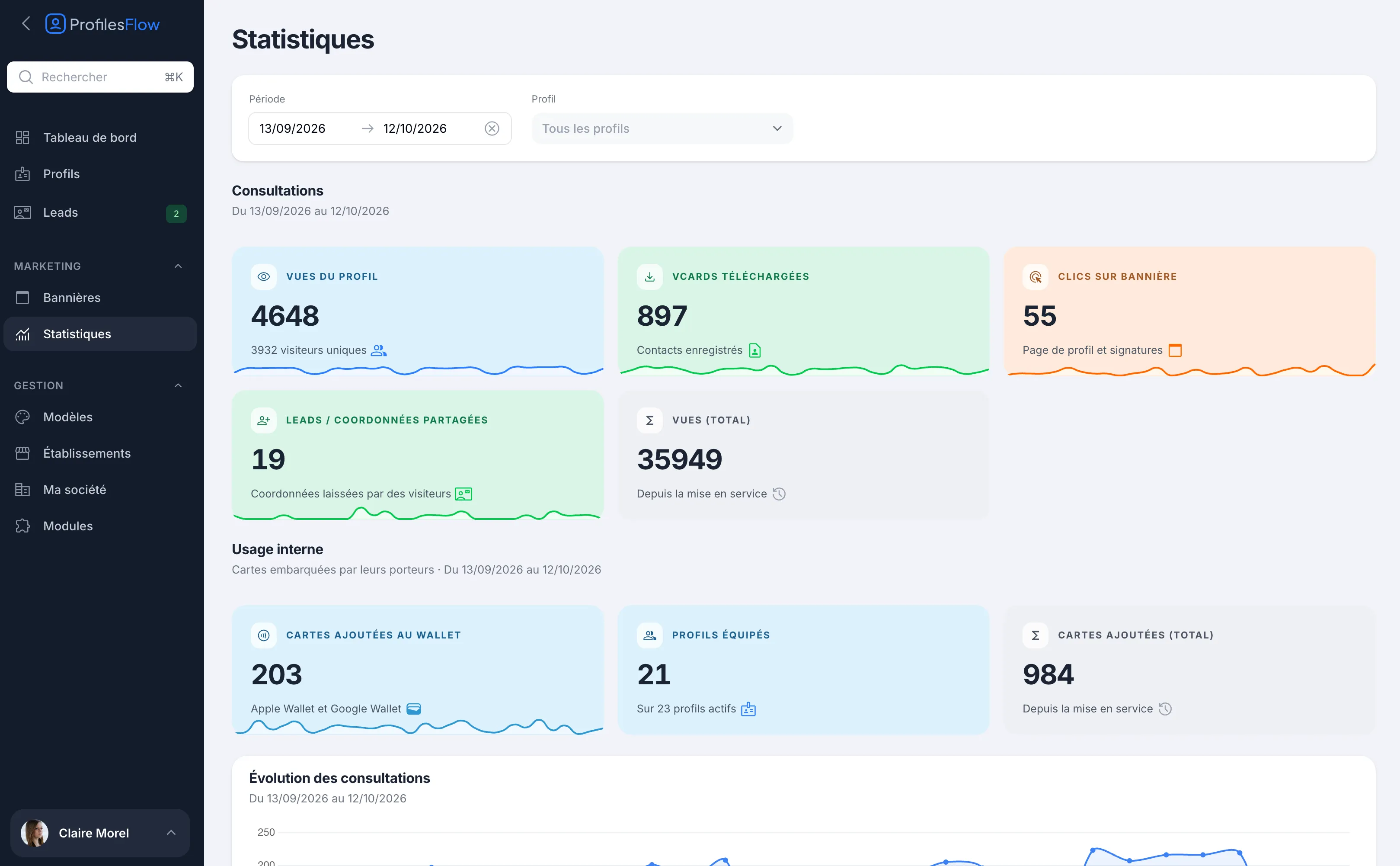
Choose the period and the profile
At the top of the page:
- Period: choose a start date and an end date. By default, the last 30 days.
- Profile: leave All profiles for the whole company, or choose an employee to see only their figures.
All the blocks on the page follow these two filters, except the “since going live” totals.
Visits
What your contacts do with your materials:
| Indicator | What it counts |
|---|---|
| Profile views | The number of times profile pages were opened, and below it the number of unique visitors. |
| vCards downloaded | The contact cards (vCard) downloaded, that is, the contacts saved in a phone. |
| Banner clicks | Clicks on the banner, from the profile page and signatures. |
| Leads / Shared contact details | The contact details left by visitors. See Leads. |
| Views (total) | All views since going live, whatever the period chosen. |
Internal use
What your employees do with their card:
| Indicator | What it counts |
|---|---|
| Cards added to Wallet | The cards added over the period, Apple Wallet and Google Wallet combined. |
| Profiles equipped | The number of profiles that have added their card to Wallet, out of the number of active profiles. |
| Cards added (total) | All cards added since going live. |
A low number of equipped profiles is a good signal to send a reminder: send each person their link again with Send details. See Invite and send information.
Charts and ranking
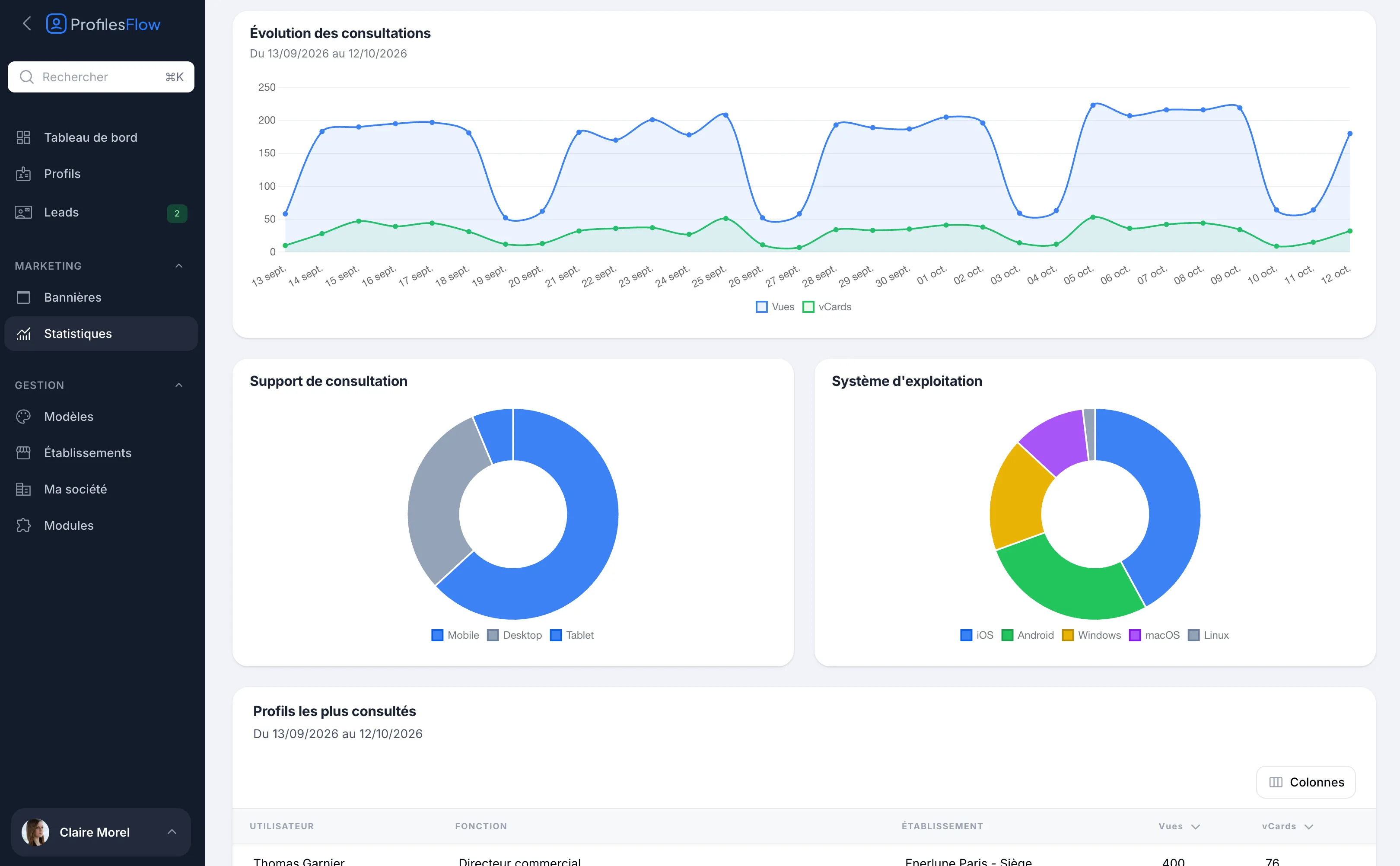
- Visits over time: views and vCards, day by day.
- Device type: the share of views on mobile, computer (Desktop) and tablet (Tablet).
- Operating system: iOS, Android, Windows, macOS, Linux.
- Most viewed profiles: for each employee, their job title, their establishment, their views and their vCards over the period. The Columns button lets you show or hide columns.
Reading the figures
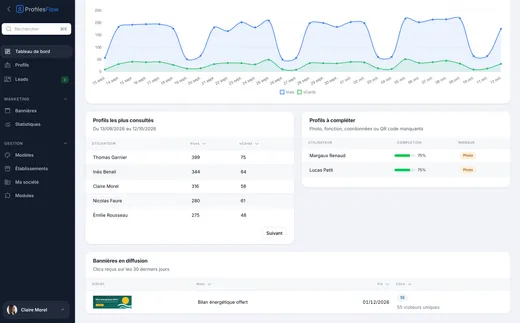
- Compare periods of the same length. The dashboard compares the last 30 days with the previous 30 and shows the trend. See Dashboard.
- Compare views and vCards. Many views and few vCards: the page is seen, but the contact is not saved. Remind your teams to show the Enregistrer (“Save”) button or the QR code of their Wallet card.
- Freshness. Figures are recalculated about every 5 minutes: a very recent visit may take a few minutes to appear.
Cookie-free measurement
Profiles Flow measures traffic without cookies and without storing IP addresses. To recognize a visitor, a technical fingerprint is calculated, then made unusable the next day (it changes every day).
What this means for you:
- No consent banner on your profile pages: this measurement is exempt from consent under the recommendations of the CNIL (the French data protection authority).
- A unique visitor is unique for one day. A person who comes back the next day counts twice in unique visitors. Over a long period, the number of unique visitors is therefore an order of magnitude, not an exact number of people.
- No data makes it possible to know who viewed a page. To know a visitor, they have to leave their contact details: see Leads.
Troubleshooting
A profile shows zero views
Check the Period and the Profile filter. Also check that the profile is active and has a template: otherwise, its page is not online.
Today's figures don't change
Wait a few minutes: counters are updated about every 5 minutes.