
My company
Fill in your company's identity, address and phone number in Profiles Flow. Administrators only.
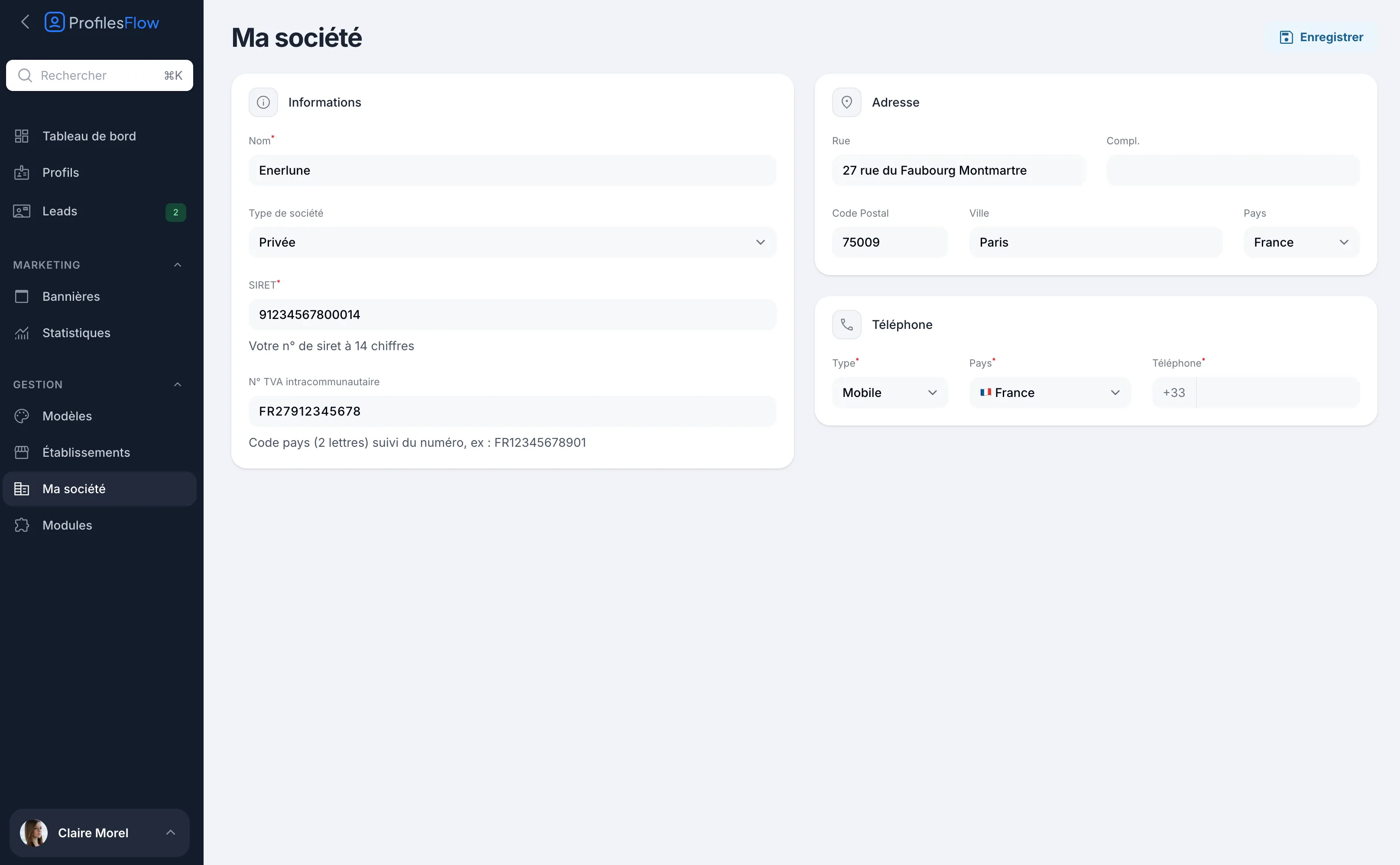
The My company page holds your company's identity: name, SIRET number, VAT number, address and phone number. It is reserved for the Administrator role and is found in Management › My company.
Edit the company information
- Open Management › My company.
- Complete or correct the three boxes (details below).
- Click Save, at the top right.
Information
- Name (required): your company's name, taken from your registration.
- Company type: Private, Public / Local authority, Non-profit, School / University or Other.
- SIRET (required): 14 digits. It identifies your company: a SIRET number can only have one Profiles Flow account.
- VAT Number: the 2-letter country code followed by the number, for example FR12345678901.
Address
Street, Address line 2, Postcode, City and Country of the head office.
Phone
One number, with its Type, its Country and the Phone number in international format.
What this information is used for
- Your subscription and your invoices. The name, address, SIRET number and VAT number identify your company for billing. See Subscription and billing.
- A fallback name on the materials. The name shown on profile pages, signatures and Wallet cards is first the one held by the template (Company name field in the General tab). If the template has none, the My company name is shown.
- A fallback address in the signature. If your signature shows the address and an employee is not attached to any establishment, the company address is used.
What My company does not control
This information is not shown directly on profile pages. For what your contacts see:
- the contact details shared by all employees (head office switchboard, general email, company social networks, links to your website) are set in the template: see Shared contact details;
- the address and contact details of each site are set in the establishments: see Establishments;
- the logo and colors are set in the template: see Customize the profile page.
Can't see My company in the menu?
The page only appears to administrators. If you are an Editor or a User, ask an administrator of your company to make the change, or to upgrade your role (see Access and roles).
Need help?Leave us a message from the Support page of the application once you are logged in. We reply Monday to Friday.