
Every business card becomes a sales opportunity
A traditional business card only works one way: you hand over your contact details, and you wait. With Profiles Flow, the people you meet leave theirs too, in a few seconds, from your employees' profile pages. Each request arrives right away, ready to be handled.
Two ways to receive contact details
The “Leave my details” button
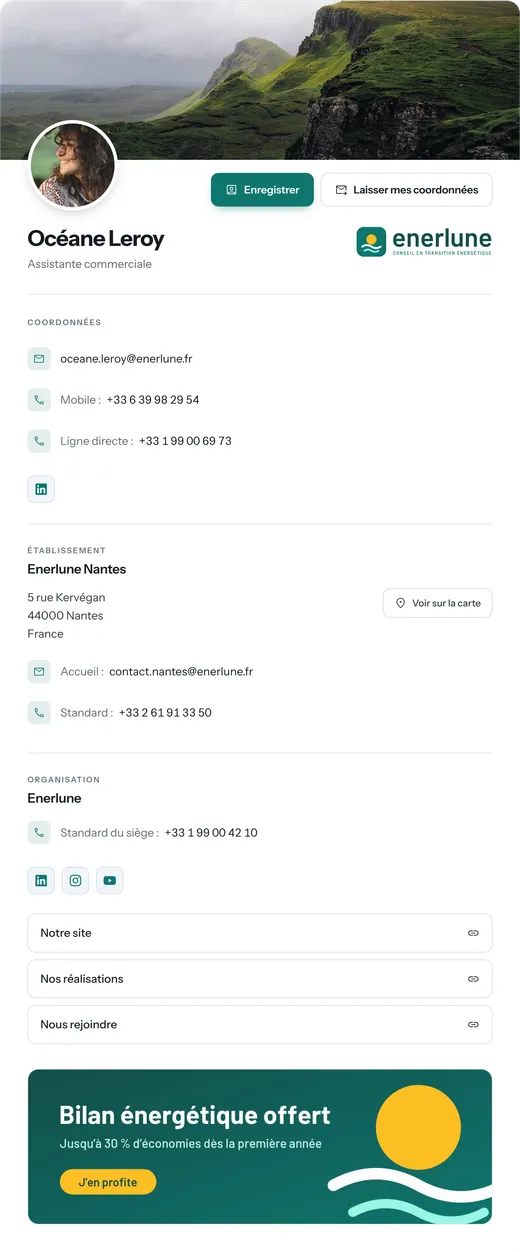
On every profile page, next to the “Save” button, visitors can leave their name, company, email and phone number. Ideal for a prospect who received a signed email and clicks “My business card”, or who scanned a salesperson's card.
The exchange QR code, for trade shows and meetings
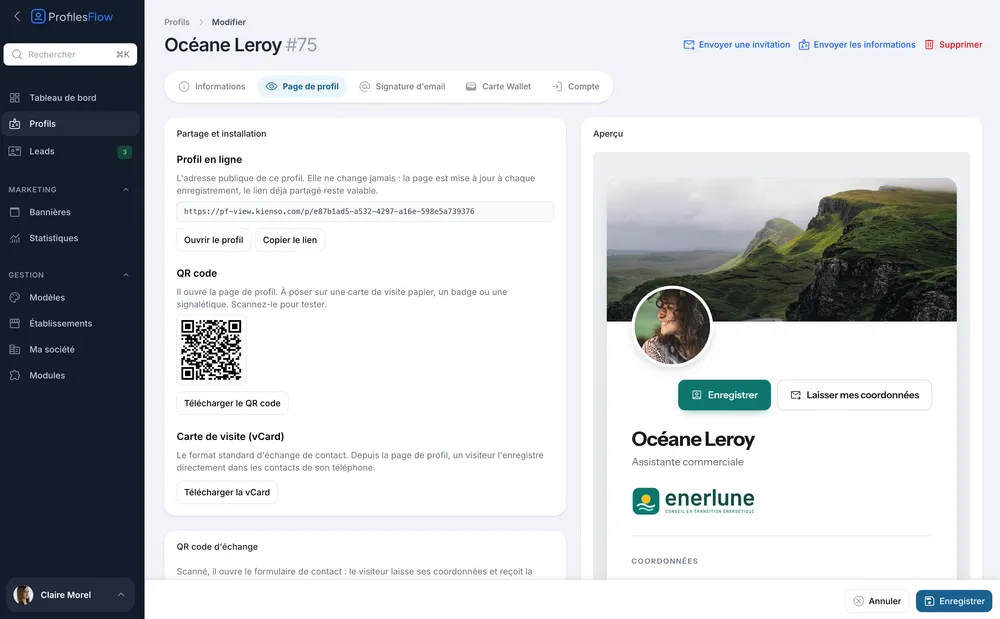
Each employee has a second QR code, dedicated to exchanging cards. The other person scans it, leaves their contact details and receives the employee's contact card in return. A complete card exchange in one scan, with no retyping and no paper card lost at the bottom of a bag.
At a trade show, exchange cards in one scan
Display your exchange QR code on your booth, your badge or your phone screen. Visitors scan it as they pass by: they get your contact details and leave you theirs.
You display your QR code
On a roll-up banner, a table stand, your badge or your phone screen.
The visitor scans it
With their phone camera, with no app to install.
They get your contact details
Your contact card is saved to their phone, with your name, your job title and your numbers.
They leave you theirs
Name, company, email and phone number land in your leads, with their consent.
Notified by email of every new lead
Every time a visitor leaves their contact details on your profile page, you immediately receive an email with their name, company, email and phone number. Just reply to that email to write directly to your prospect, the same day.
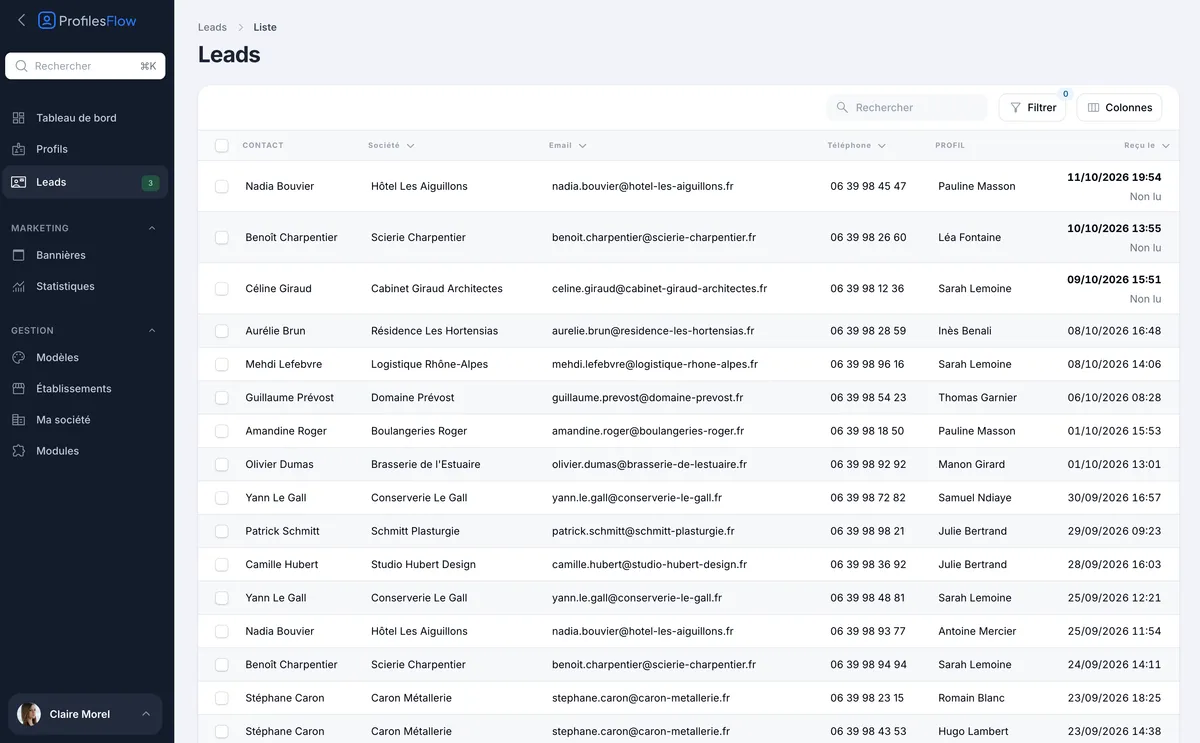
All requests are also gathered in the interface, with the profile contacted, the source (form or card exchange) and the date. Unread requests are flagged in the menu.
Consent, kept exactly as given
Before sending their contact details, the visitor accepts a consent text on behalf of your company. Profiles Flow keeps this text exactly as it was shown to them, with the date and time of acceptance: that version is the one that counts if the question ever comes up.
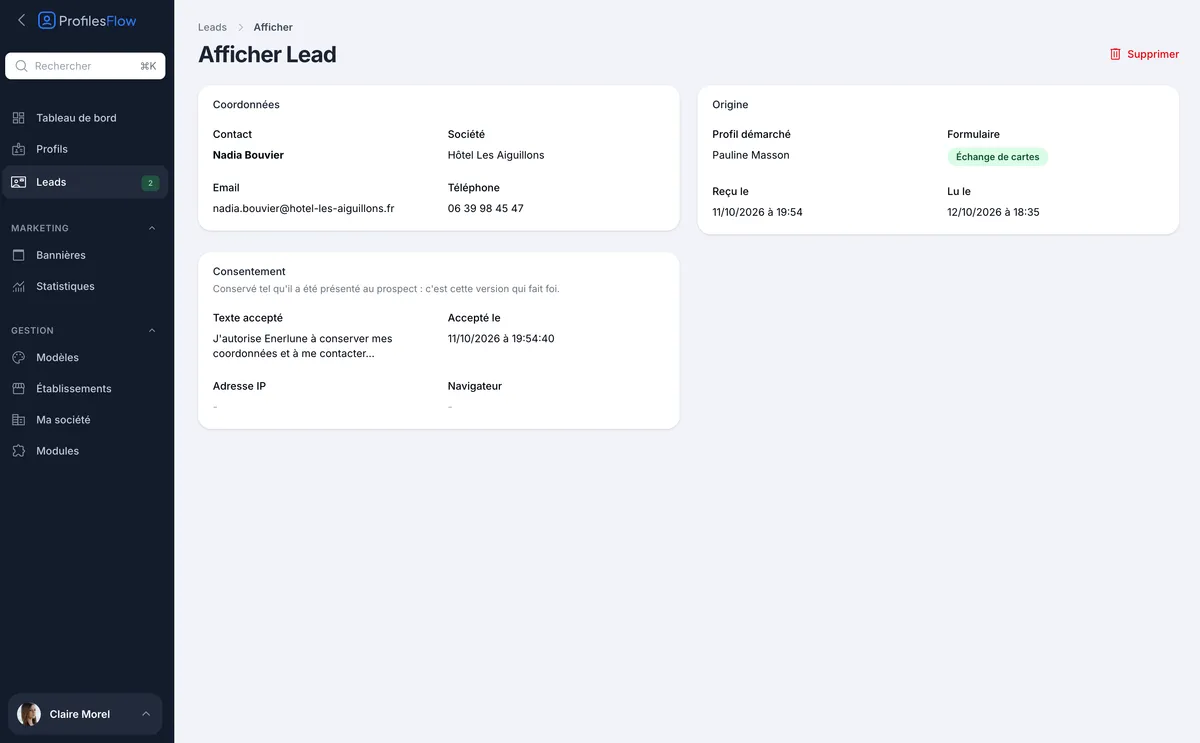
Leads belong to the company
Requests are attached to the company, not to the employee: when someone leaves the team, their contacts remain accessible. You can export the selected requests to CSV to import them into your CRM or your email marketing tool.
Measure what your cards bring in
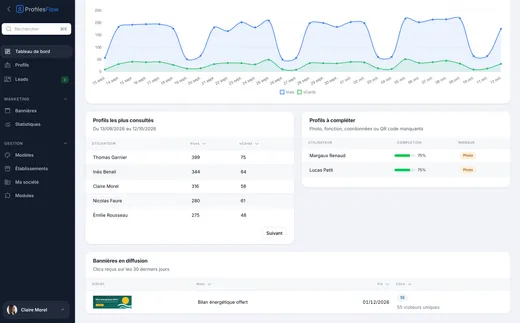
The dashboard and analytics count the leads received over the period, per employee, and compare them with the previous period. You see which profiles and which events generate contacts.
Discover analytics ›Frequently asked questions
Who receives the contact request?
The employee whose page was used, by email. The people who manage the company in Profiles Flow also see all requests in the interface.
Does the visitor need to install anything?
No. The form opens in their phone browser, after scanning the QR code or clicking on the profile page.
Are leads GDPR-compliant?
The form collects explicit consent, kept with its date and exact wording. Your company is responsible for how it uses these contacts; Profiles Flow hosts them as a processor, in a data center in France.
Can I export leads to my CRM?
Yes. Select the requests in the list and choose “Export to CSV”: the file can be imported into your CRM or your email marketing tool.