
Email signature banners: best practices
An email signature banner can go out with every message your team sends: a trade show, an offer, a job opening. Done well, it is seen by all your contacts with no media budget. Done poorly, it weighs down messages or goes unnoticed. Here are the rules to follow.

Think about how many emails your team sends every day to customers, prospects and partners. Each one is read, at least in part, by someone who already knows you. The email signature banner makes use of this space: a clickable visual placed under the signature that carries a timely message.
It is one of the simplest marketing materials to set up. You still need to follow a few technical and editorial rules, because a banner is displayed in very different email clients, to recipients who did not ask for it.
What an email signature banner is for
A banner works well for short, dated messages that are useful to the recipient:
- an event: trade show, webinar, open house;
- something new: product, service, new office;
- content: guide, study, customer case, blog article;
- a job opening: “We're hiring”, with a link to the openings;
- practical information: summer closure, new opening hours, change of address.
It works poorly for permanent advertising (“Discover our services”): seen every day, it becomes invisible.
Technical best practices
Size
A signature is usually displayed at a width of 500 to 600 pixels. Prepare the banner at twice its display size so it stays sharp on high-resolution screens: for example 1200 × 300 pixels for a 600 × 150 display. A wide, short format keeps the banner from taking up more space than the message.
File weight
The banner is loaded every time an email is opened, often on mobile. Compress it: a well-optimized JPG, or a PNG for visuals with flat colors. A heavy file slows down display and can send the message into stricter filters.
Animated format
An animated GIF catches the eye, but some versions of Outlook for Windows only show its first frame. If you use one, make sure that first frame carries the whole message.
Hosting
Images must be hosted online, at a public https address. A banner attached to the message weighs down every send and appears as an attachment for some recipients.
Alt text
Many email clients block external images until the recipient allows them. Add short, explicit alt text (“Visit us at the trade show, booth B12, March 14 to 16”): it is what will be displayed in place of the image, and what screen readers will read.
Content best practices
- One message per banner. A date, an offer or a call to action, not all three.
- Little text, large type. The banner will be seen for a few seconds, often on a small screen.
- A clear call to action: “Sign up”, “See the openings”, “Download the guide”.
- A consistent landing page: the link must lead directly to what the banner promises, not to the home page.
- The company's brand guidelines: same colors, same typography as the signature, so the whole stays consistent.
- Sufficient contrast, in dark mode too: avoid transparent backgrounds.
Scheduling and rotating banners
The most important rule: a banner must have an end date. Plan a calendar, even a simple one:
- one banner per campaign, with start and end dates;
- a plain “default” banner between two campaigns, or none;
- a change at least every month or two, so the material stays noticed.
Keep in mind that display in emails is not instant everywhere. Some email clients cache the image. Gmail, for example, copies images to its own servers: an email already sent may keep the old banner.
Measuring results
A banner is measured first by its clicks. To go further, add tracking parameters to your link (UTM parameters, for example) so you can find these visits in your audience tool. Compare campaigns with each other rather than aiming for an absolute number: it is the best way to learn which messages interest your contacts.
Common mistakes
- One banner per employee: everyone adds their own, and the company's image gets blurred. The banner is decided at company level, like the shared signature.
- Forgetting to remove it: last year's trade show, still displayed in January, makes a poor impression.
- A banner without a link: if it announces something, the recipient must be able to click.
- Putting everything in the image: essential information (date, address) must also appear in the alt text or on the landing page.
Banners with Profiles Flow
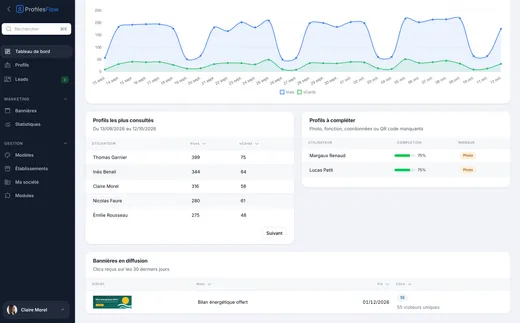
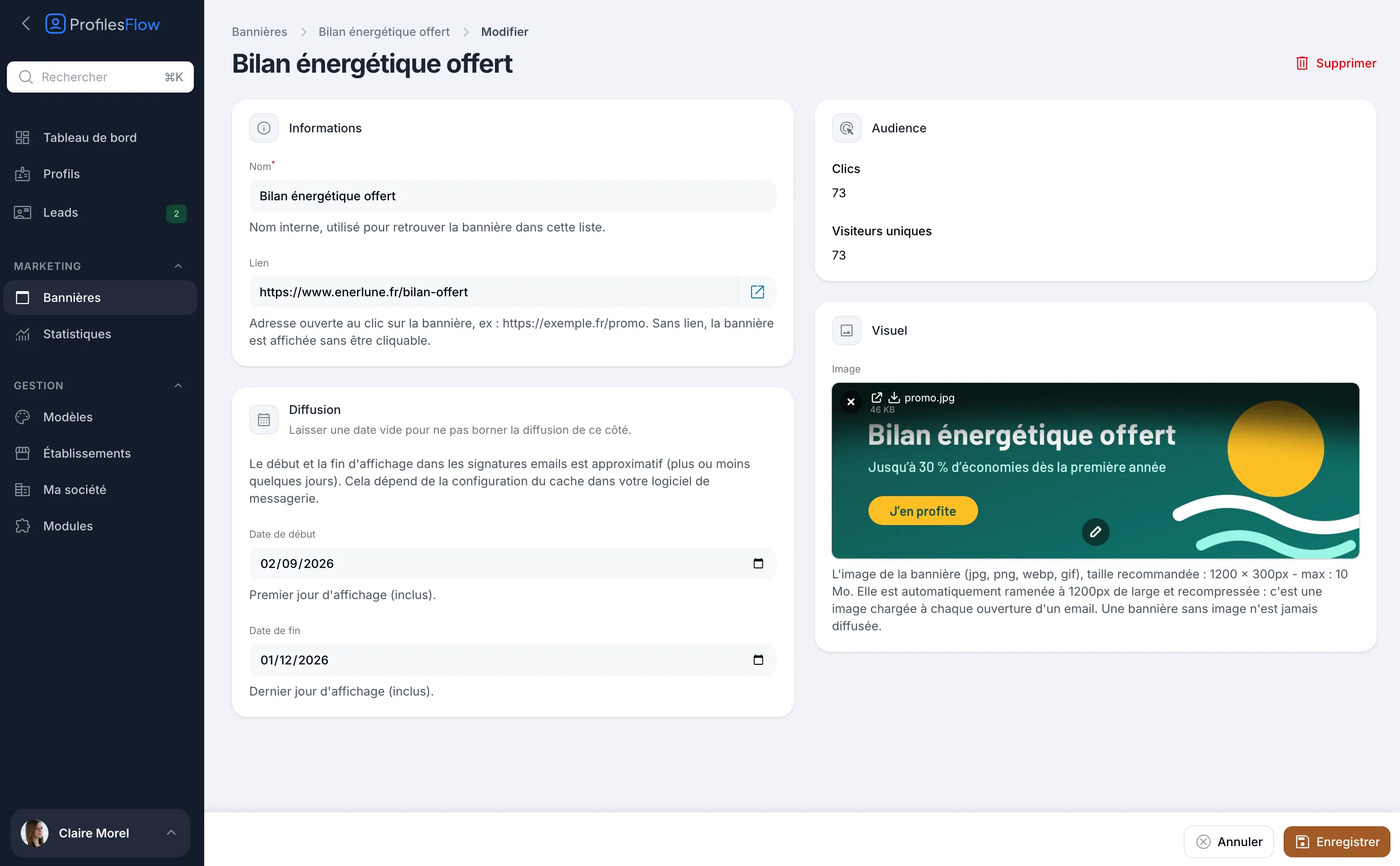
In Profiles Flow, banners are managed from the Marketing › Banners menu, at company level. For each banner, you enter an internal name, a link (without a link, the banner is displayed but not clickable), run dates and a visual: jpg, png, webp or gif, 1200 × 300 pixels recommended, automatically resized to 1200 pixels wide and recompressed.
The current banner is displayed under all signatures and at the bottom of all the company's profile pages. Switching campaigns means changing the banner once: all signatures follow without reinstalling, except emails already sent from Gmail, which keep the original image. The start and end of display in signatures are approximate, within a few days, depending on email client caching.
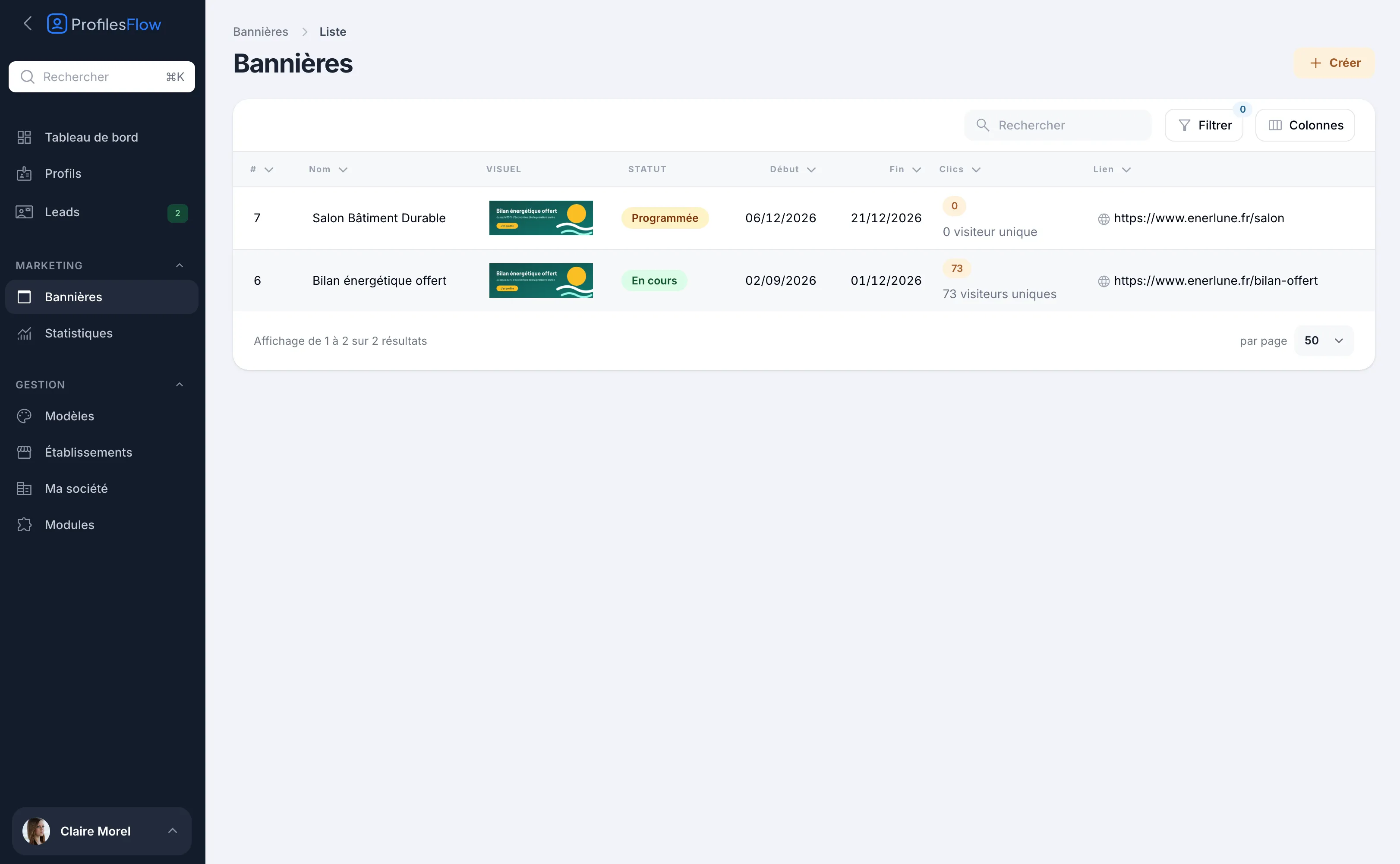
Each banner shows its status (Scheduled, Running, Ended), its clicks and its unique visitors, measured without cookies. More details on the marketing banners page.
Frequently asked questions
What is the ideal size for an email signature banner?
Prepare a 1200 × 300 pixel visual, displayed at about 600 × 150. It stays sharp on high-resolution screens without taking up more space than the signature.
Can a banner in the signature hurt deliverability?
A lightweight image, hosted online and accompanied by text, generally causes no problem. The risks come mainly from heavy images, attachments and messages made up almost entirely of images.
How often should you change the banner?
With each campaign, and at least every one to two months. Beyond that, your regular contacts no longer see it.
Should the banner appear in replies?
It's a choice. In a long exchange, a banner repeated in every reply weighs down the thread. Many companies keep it for new messages only.
Want to launch your first signature campaign? Profiles Flow offers a 30-day free trial, no credit card required.